

.zip containing the full configuration, run history, attached skills, and optionally the space’s narrative memory. Hand it to a teammate or carry it to another machine — the recipient imports the .zip and the space lands ready to run.
Export a space
1
Open your space
Click any space in the Studio sidebar to open it.
2
Open the export menu
Click the ··· menu in the top right of the space.
3
Choose what to include
Pick one of:
- Download space — configuration, run history, and attached skills. Memory not included.
- Download space with notes & memory — same as above, plus the space’s narrative memory.
4
Save the bundle
Friday writes a single
.zip to your downloads folder. Hand it off
however you like — email, shared drive, chat, USB.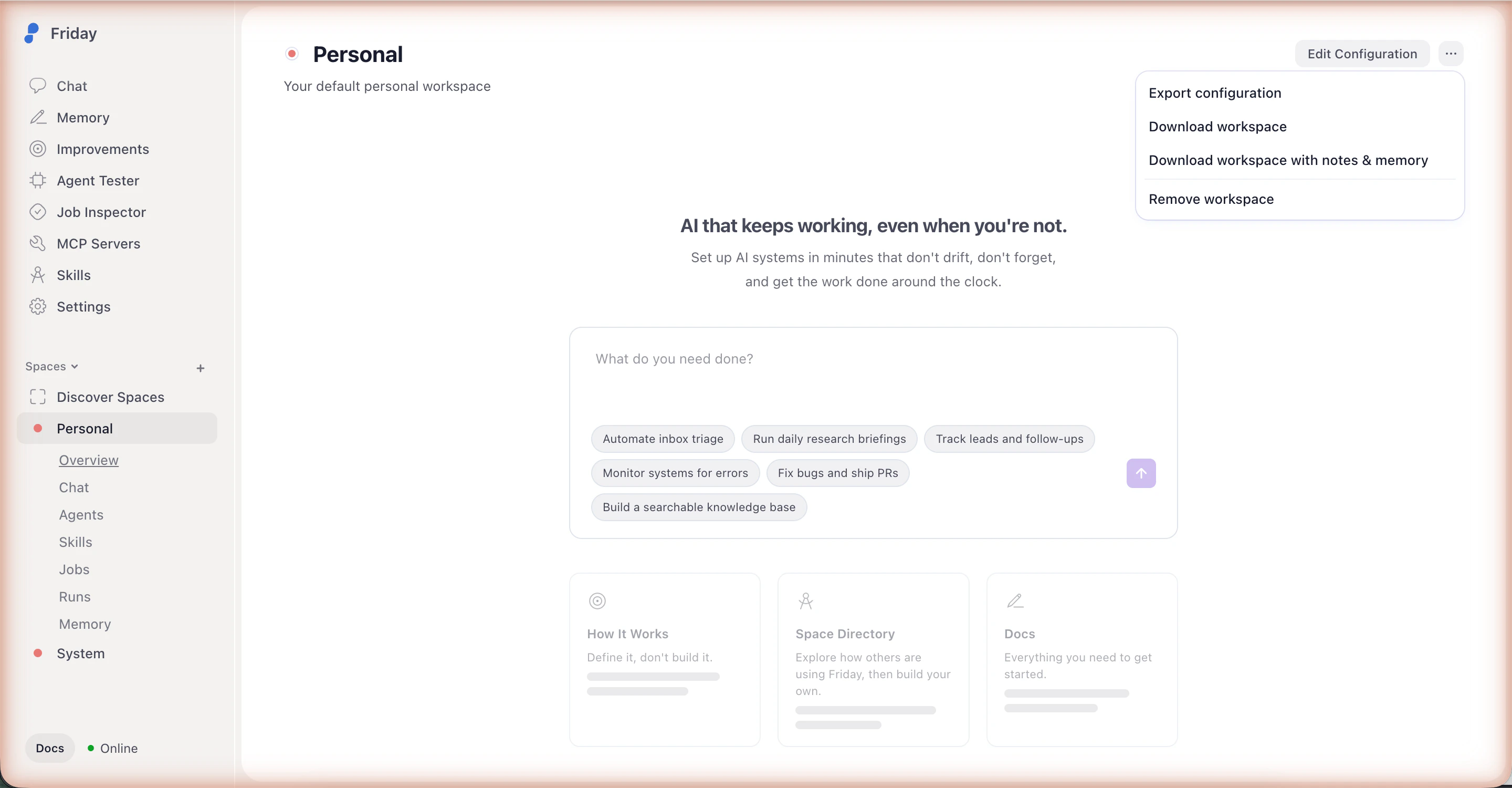
Bundles include run history and (optionally) memory, which may contain
details from your previous sessions. Review the contents before sharing
outside your team.
Import a space
1
Open Backup & restore
In the Studio sidebar, click Settings, then open the Backup &
restore section.
2
Import the bundle
Click Import a space and select the
.zip you received.3
Connect accounts
Open the imported space and follow its README — usually a short list of
services to sign in to (Google, Slack, etc.). Friday prompts for any
integrations the space uses.
What’s next
Backup and restore
Full reference for export and import flows in the Studio.
Spaces
What’s in a space and how
workspace.yml is structured.