> ## Documentation Index
> Fetch the complete documentation index at: https://docs.hellofriday.ai/llms.txt
> Use this file to discover all available pages before exploring further.
# Communicators
> Connect a Communictor and chat with Friday on the go
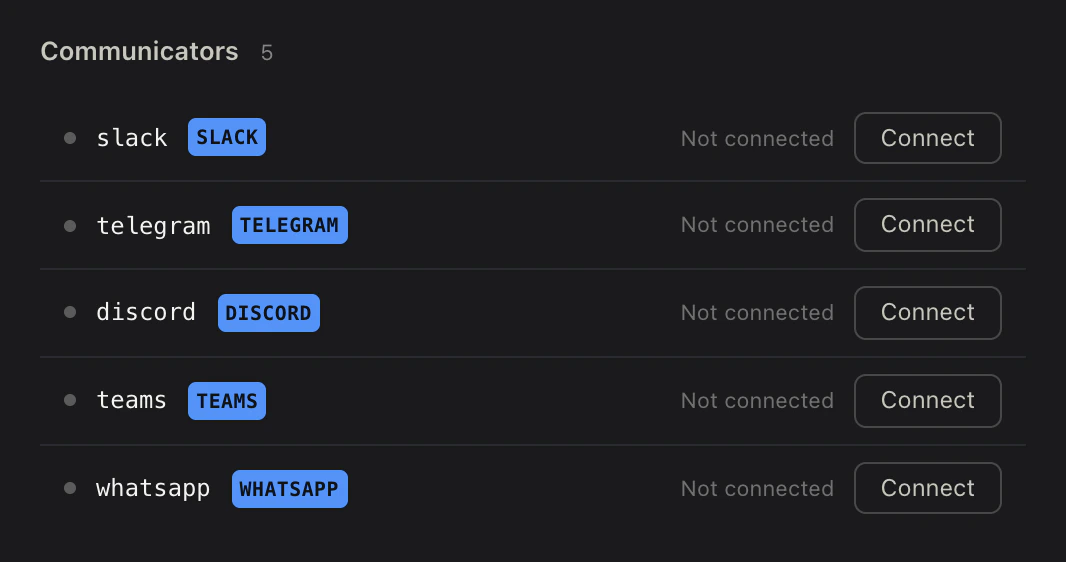
Communicators connect a Friday space to a chat platform so users can converse with it on the platform of their choice. The same agents, skills, and state that power Friday’s web chat respond on Slack, Discord, Telegram, WhatsApp, or Microsoft Teams — you just plug in a bot.
## Setup
**In Friday Studio**, navigate to your space in the left sidebar and click **Overview**, then click the **Info** tab. Next, scroll down to the **Communicators** section and click **Connect** next to the platform you want. Paste the required credentials, and submit. Studio stores them securely and wires up the webhook for you.
 ### Platform Credentials
**In the supported platform**, create the bot and copy the credentials (bot token, signing secret, etc.). Each provider page walks through this:
* **[Slack](/guides/communicators/slack)**
* **[Discord](/guides/communicators/discord)**
* **[Telegram](/guides/communicators/telegram)**
* **[WhatsApp](/guides/communicators/whatsapp)**
* **[Microsoft Teams](/guides/communicators/teams)**
## Configuration
Once connected, the space's `workspace.yml` records which communicators are active:
```yaml workspace.yml theme={null}
communicators:
slack:
kind: slack
```
No secrets are stored in the YAML — credentials are stored separately and scoped to the space.
## What’s next
Connect a Slack app to a space for DMs and @mentions.
Connect a Discord bot to a space for DMs and @mentions.
Connect a Telegram bot to a space for direct messages.
Connect a WhatsApp Business number to a space for customer chat.
Connect a Microsoft Teams bot to a space for DMs and @mentions.
### Platform Credentials
**In the supported platform**, create the bot and copy the credentials (bot token, signing secret, etc.). Each provider page walks through this:
* **[Slack](/guides/communicators/slack)**
* **[Discord](/guides/communicators/discord)**
* **[Telegram](/guides/communicators/telegram)**
* **[WhatsApp](/guides/communicators/whatsapp)**
* **[Microsoft Teams](/guides/communicators/teams)**
## Configuration
Once connected, the space's `workspace.yml` records which communicators are active:
```yaml workspace.yml theme={null}
communicators:
slack:
kind: slack
```
No secrets are stored in the YAML — credentials are stored separately and scoped to the space.
## What’s next
Connect a Slack app to a space for DMs and @mentions.
Connect a Discord bot to a space for DMs and @mentions.
Connect a Telegram bot to a space for direct messages.
Connect a WhatsApp Business number to a space for customer chat.
Connect a Microsoft Teams bot to a space for DMs and @mentions.